Le Bandit Demo
OverviewLe Bandit demo help: opening, touch and return
Identify the state you have reached before choosing another action. A guide, a loading picture, an error message and a responding game are different observations.
External supplier client · virtual credit · 18+. Availability depends on the supplier and your location.
Name the visible state
The Play demo button opens an external supplier client only after you choose it. Before that action, this guide shows local artwork and explanations. Once the frame opens, the supplier can display a loading view, its introduction, a connection message or the board. A completed loading bar by itself is not evidence that an ordinary round has worked. Read any visible text before trying the same action again.
The 16 October check reached different outcomes in two contexts: the official desktop-channel route returned a demo-wallet connection message, while the official mobile-channel route reached the original game and completed one virtual round. These results are kept separate. They do not show that a desktop failure affects every phone, or that a successful mobile observation guarantees availability on a different connection.
| Reference | Reading context |
|---|---|
| Local image only | The external client has not been requested |
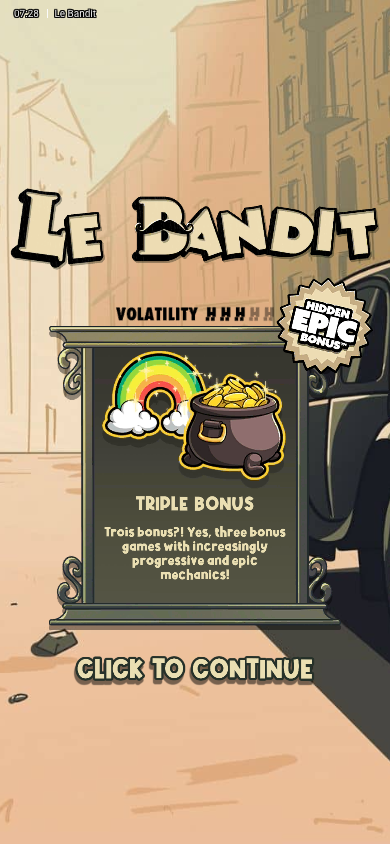
| Supplier introduction | Continue is still needed |
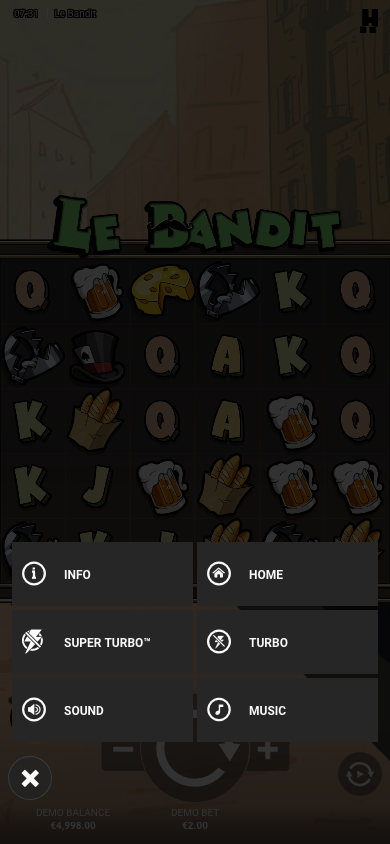
| Board and responding control | A usable interface has been reached |
| Access or connection text | Keep the message and close normally |
Visit partnerAdvertisement · 18+. We may receive a commission. The partner link is separate from the virtual-credit demo.
Use the control that matches the screen
The mobile introduction expects a touch on its Continue area. After entering the board, locate the large ordinary spin arrow and the menu before making another change. The menu’s Info item opens the current game rules. If you are inspecting a small phone screen, read one panel at a time; an enlarged explanatory image in the guide is separate from the supplier’s interactive controls.
If a control is outside the visible part of the frame, check its orientation and scroll position. The guide’s close control remains above the external frame. Closing should remove the iframe, stop its activity and restore page scrolling and focus. Rotating a phone can alter the supplier layout; it does not change the meaning of virtual credit or make a source screenshot a test of that orientation.
Visit partnerAdvertisement · 18+. We may receive a commission. The partner link is separate from the virtual-credit demo.
Keep a connection message intact
A supplier message about access or a demo-wallet connection belongs to that observed route. This page does not remove the message, change a game identifier or offer a way around a restriction. You can close the frame and continue with the written rules. A photograph of the board is useful reference material, but it is not a playable replacement for a client that has stopped.
When describing a problem, include the full title, the visible message and whether you were using portrait or landscape. Do not include a password, personal document or account balance from another service. For a factual discrepancy, note the information-panel wording and the mode; a feature rule can differ between configurations and must not be reconstructed from an unrelated game.
Visit partnerAdvertisement · 18+. We may receive a commission. The partner link is separate from the virtual-credit demo.
Visit partnerAdvertisement · 18+. We may receive a commission. The partner link is separate from the virtual-credit demo.